
VORA HWP (@vorahwp)
Start VORA HWP with @vorahwp. Learn connected AI, Smart mode, generation, revisions, and original preservation, attachments, standalone use, and background Auto mode. Installed apps support offline editing; AI and VORA export require free signup and a VORA web launch.
VORA Chat and Tool Demo
VORA HWP (@vorahwp) — workflow demo
Start VORA HWP with @vorahwp. Learn connected AI, Smart mode, generation, revisions, and original preservation, attachments, standalone use, and background Auto mode. Installed apps support offline editing; AI and VORA export require free signup and a VORA web launch.Choose a real request from this guide and preview the flow from input to result.
This demo stays in your browser; it sends, saves, and charges nothing.
Send a request to see the processing flow and output format for this tool.
@vorahwp : How competitive is Tesla in its industry? Write a Hangul-format report with a summary, comparison table, and sources.
- 1Check request scope
- 2Create draft or session
- 3Prepare dedicated workspace
- 4Return new-tab URL
VORA chat input@vorahwp : How competitive is Tesla in its industry? Write a Hangul-format report with a summary, comparison table, and sources.
https://guide.vora.im/en/tools/hwp-generation/#workspace-demoOpen in a new tab ↗ ⓘ AI features and “Export to VORA” are available only after signing up for the free VORA service and launching the tool’s web version from VORA while connected to the internet. These features are unavailable in downloaded apps or a directly opened standalone web version. An actual editing screen in the Korean UI.
Live results vary with the source material, request, and time of use.
Getting started with VORA HWP
An editor for HWP and HWPX documents, including official letters, reports, and forms with text, paragraphs, tables, and page settings.
Download and install the app for your OS (macOS, Windows, or Linux) from VORA WORKS to edit documents and save locally without an internet connection. Check the download page for each product’s release and download availability.
Download apps for your OS · VORA WORKS
Sign up for the free VORA service
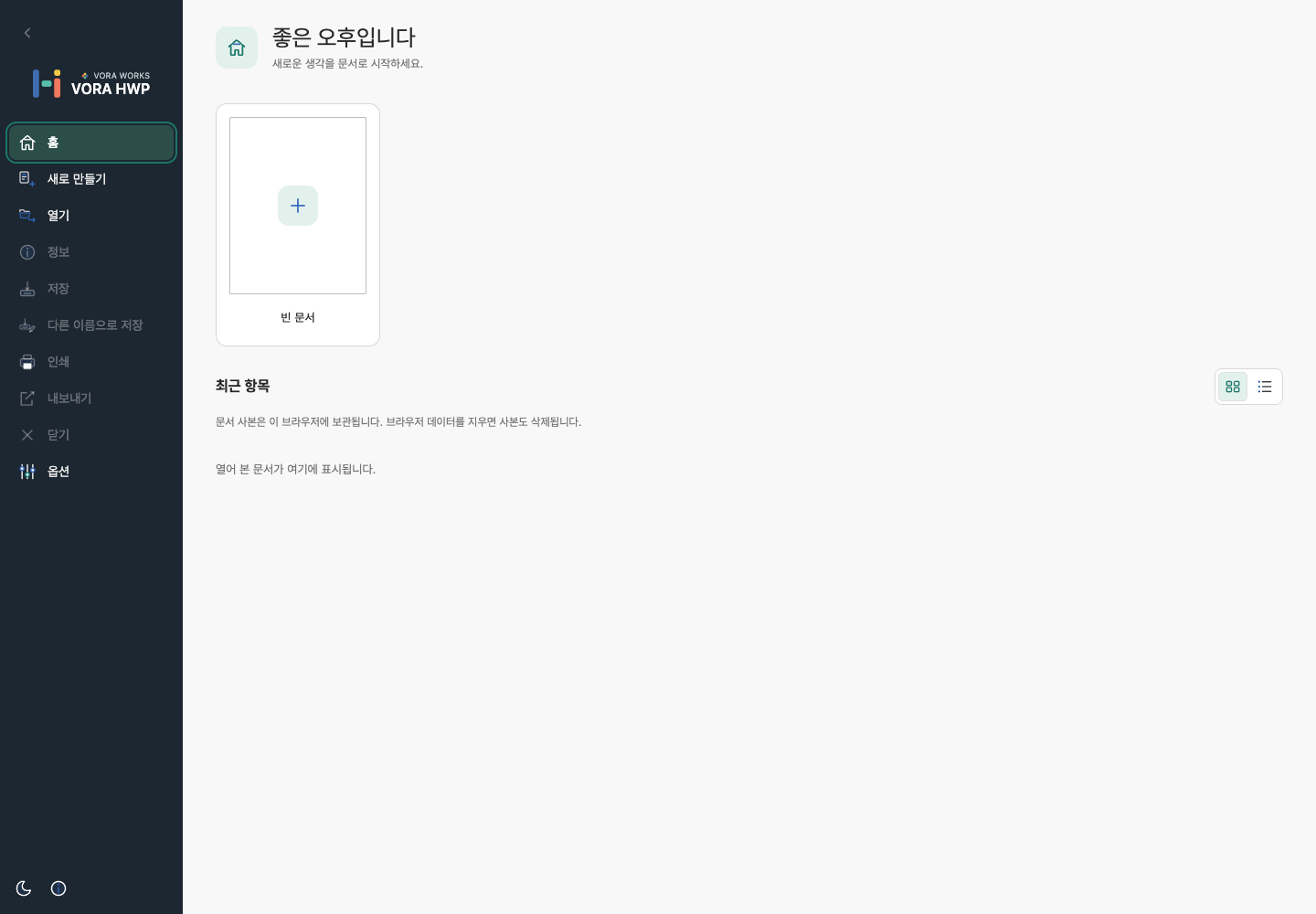
Start a blank document or open a file from the File menu. Starting from VORA chat can carry your request and selected references into an AI-enabled session.
Auto mode: background generation
Send @vorahwp with your topic or attachment and ask for background generation. This delegates creation and HWPX saving without walking through the editor.
Background results are saved on VORA’s AI Creations page. An acceptance notice is different from completion; open the saved file to review its content and layout.
Workflows by document type
- Official letter: copy the form → review fields → fill content → verify approval and recipient details → save.
- Report: paper and headings → references → body, tables, and figures → numbering and sources → PDF review.
- Minutes: agenda and attendees → decisions → owner/deadline table → fact check → HWPX save.
Requests using topics, attachments, and conversation
- @vorahwp : How competitive is Tesla in its industry? Write a Hangul-format report with a summary, comparison table, and sources. Generate it in the background.
- @vorahwp : Use the attached facts and figures to prepare a summary, comparison, and next actions in the background.
- @vorahwp : Use the comparison table and conclusion above to create an English deliverable in the background. Label unverified information.
Standard and Smart modes, and original preservation
To use connected AI, sign up for the free VORA service and launch the tool’s web version from VORA chat. Open the returned editor link and check that the AI assistant is enabled. Offline editing in an installed app, standalone web editing, Smart mode inside the editor, and background Auto mode are distinct workflows.
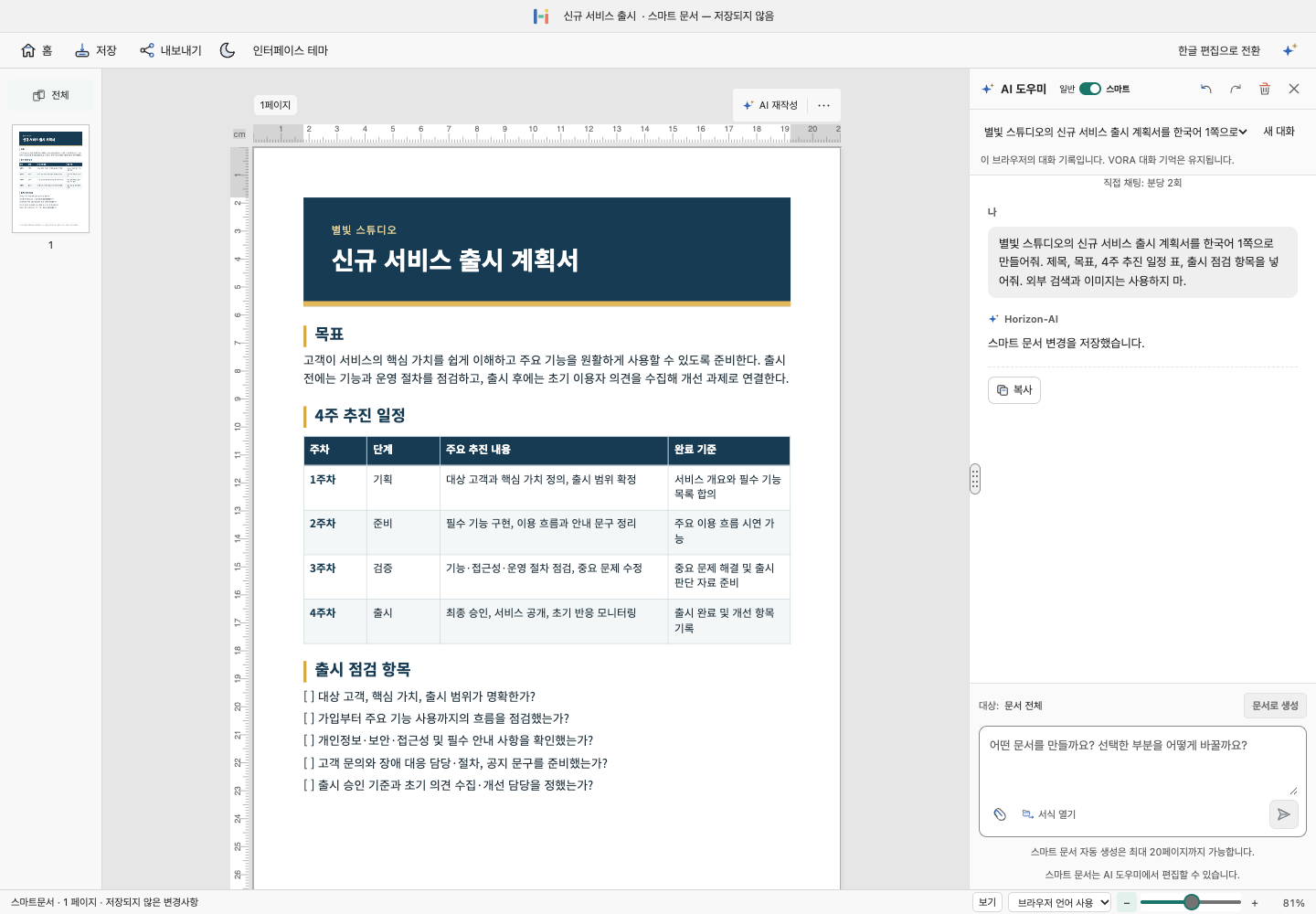
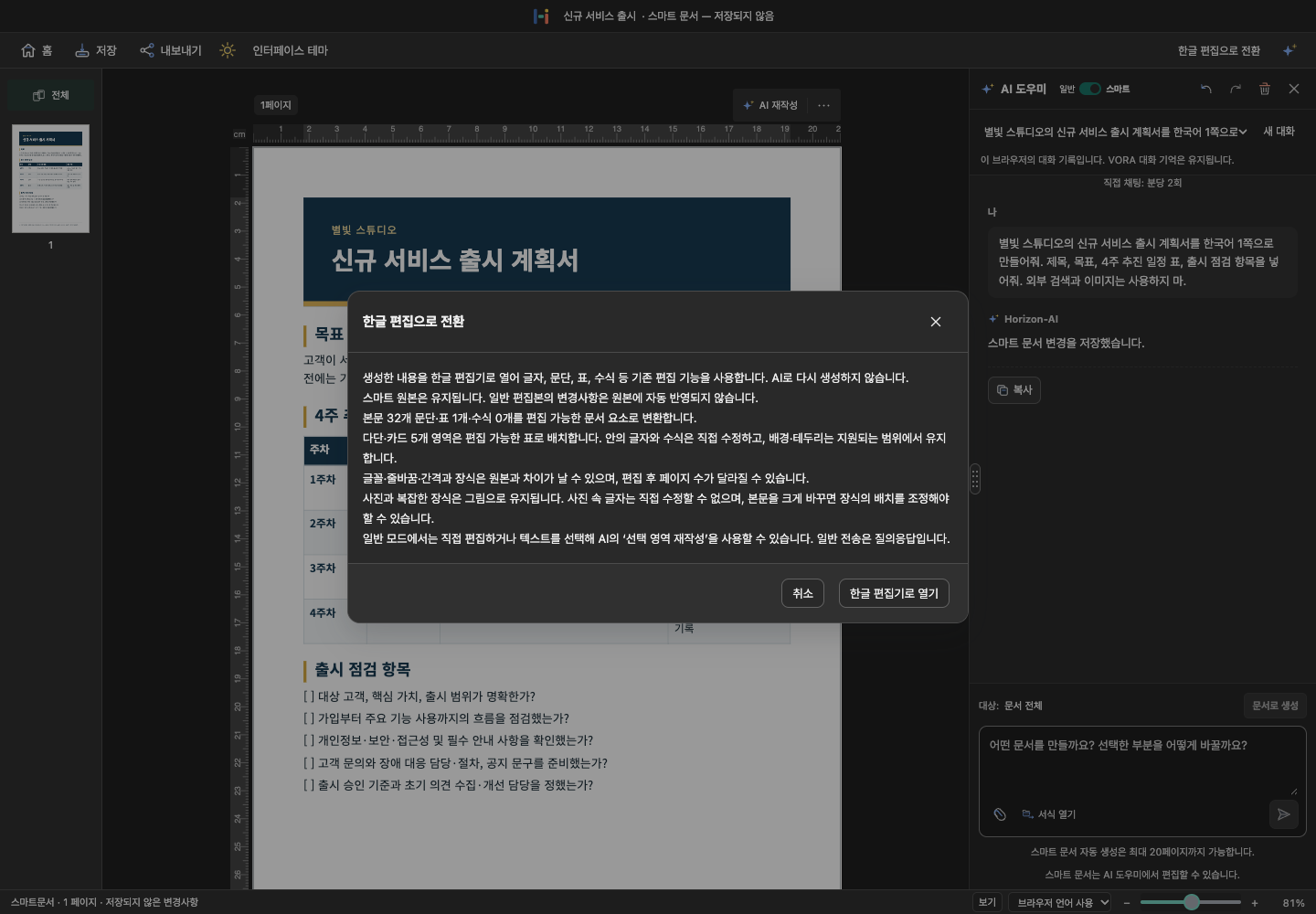
- Launch @vorahwp from VORA and switch the web editor to Smart mode. If starting from an existing document, save the original first and review the choices in the switch dialog. Smart mode is the workspace for AI document generation, page composition, and element revisions.
- Specify the document type, audience, page count, required sections, and facts to preserve in the AI input. Wait for any reference attachment to finish processing before using it. For example: “Create a one-page service launch plan with goals, a four-week schedule, and a checklist.”
- Follow the generation stages and page previews. Once complete, review titles, tables, margins, and page breaks. Independently verify the facts in generated wording and numbers.
In the switch dialog, start a blank Smart document or create one from the selected AI answer. The existing document and conversation are retained. Save the Smart original as .vorah and distinguish it from the normal editable copy.
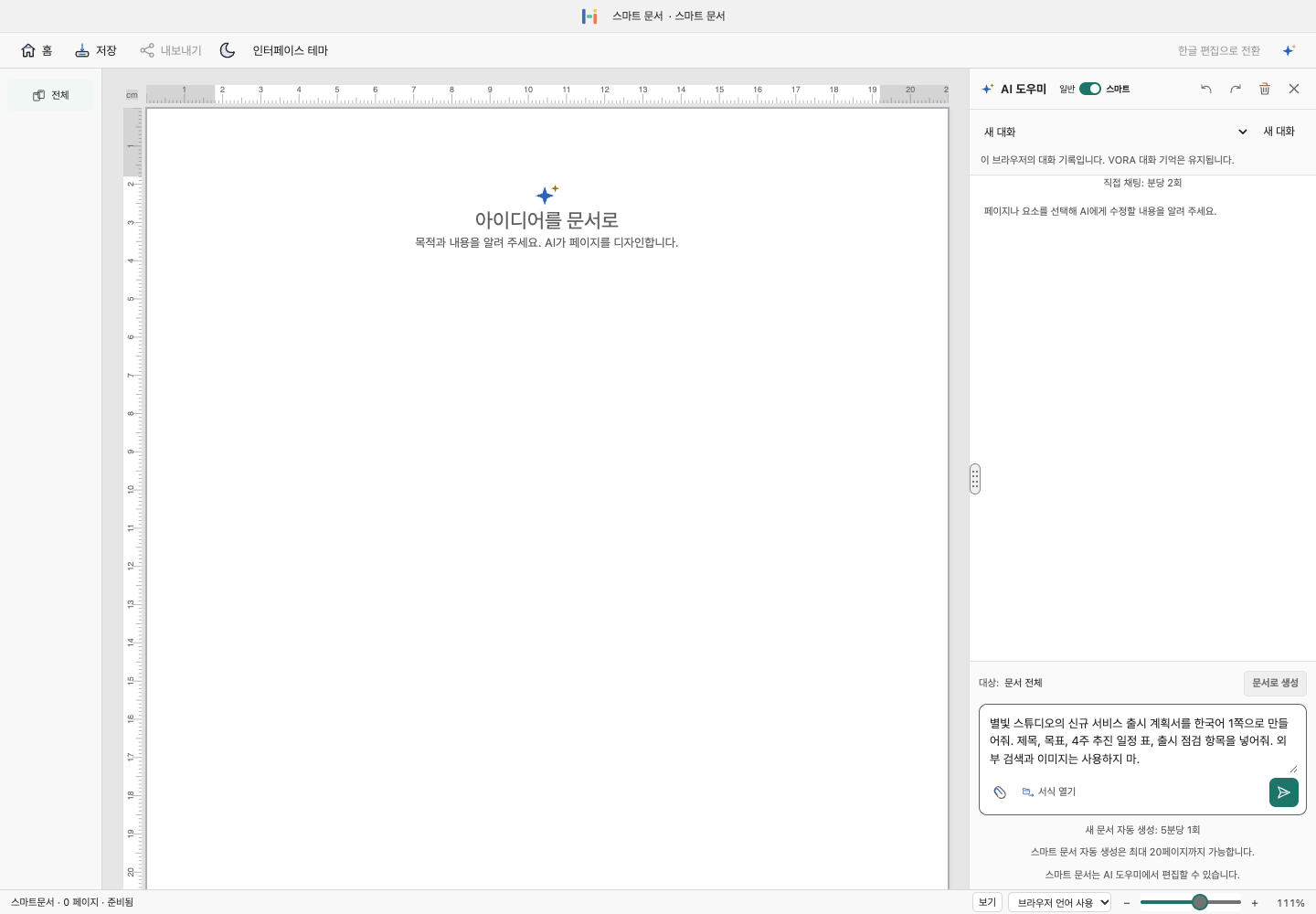
AI editing of documents, pages, and selected elements
Check whether the target is the whole document, the current page, or a selected element before sending a revision. A focused request such as “Keep this page’s table and shorten only the explanation” is easier to review. Distinguish requests to revise wording from requests to restructure pages or elements, then inspect and save the revised original.
Distinguish restructuring the whole document from editing one page or element. Specify the target and content to preserve. Limit text length in short form fields so surrounding cells and pagination remain usable.
Images, attachments, and visual references
Add images, charts, and shapes that support the document’s explanation. If AI image candidates are offered, check their relevance and source before applying. Inspect size, page boundaries, and overlaps with tables or text boxes.
.vorah originals and HWPX/PDF export
Keep the Smart original as .vorah and reopen it to continue the document and conversation. When switching to a normal editable copy, distinguish that copy from the original; edits do not automatically synchronize between them. Export HWPX/PDF delivery files and reopen them for review. Export to VORA is complete only after registration is confirmed on AI Creations.
Save a .vorah original to continue Smart work. Export separate files for sharing or submission, then reopen HWPX/PDF to check wrapping, pagination, and images. Check the current mode and format when using Ctrl/Cmd+S.
| Format | Use |
|---|---|
| .vorah | Keep the document and conversation for continued work in the same editor. |
| HWPX | An editable copy for other document apps; it does not include the dedicated conversation history. |
| A copy for printing and distribution. Check pagination and clipping before exporting. | |
| VORA | Save HWPX to AI Creations from a connected session. Check that registration completes. |
The new File menu and ribbon
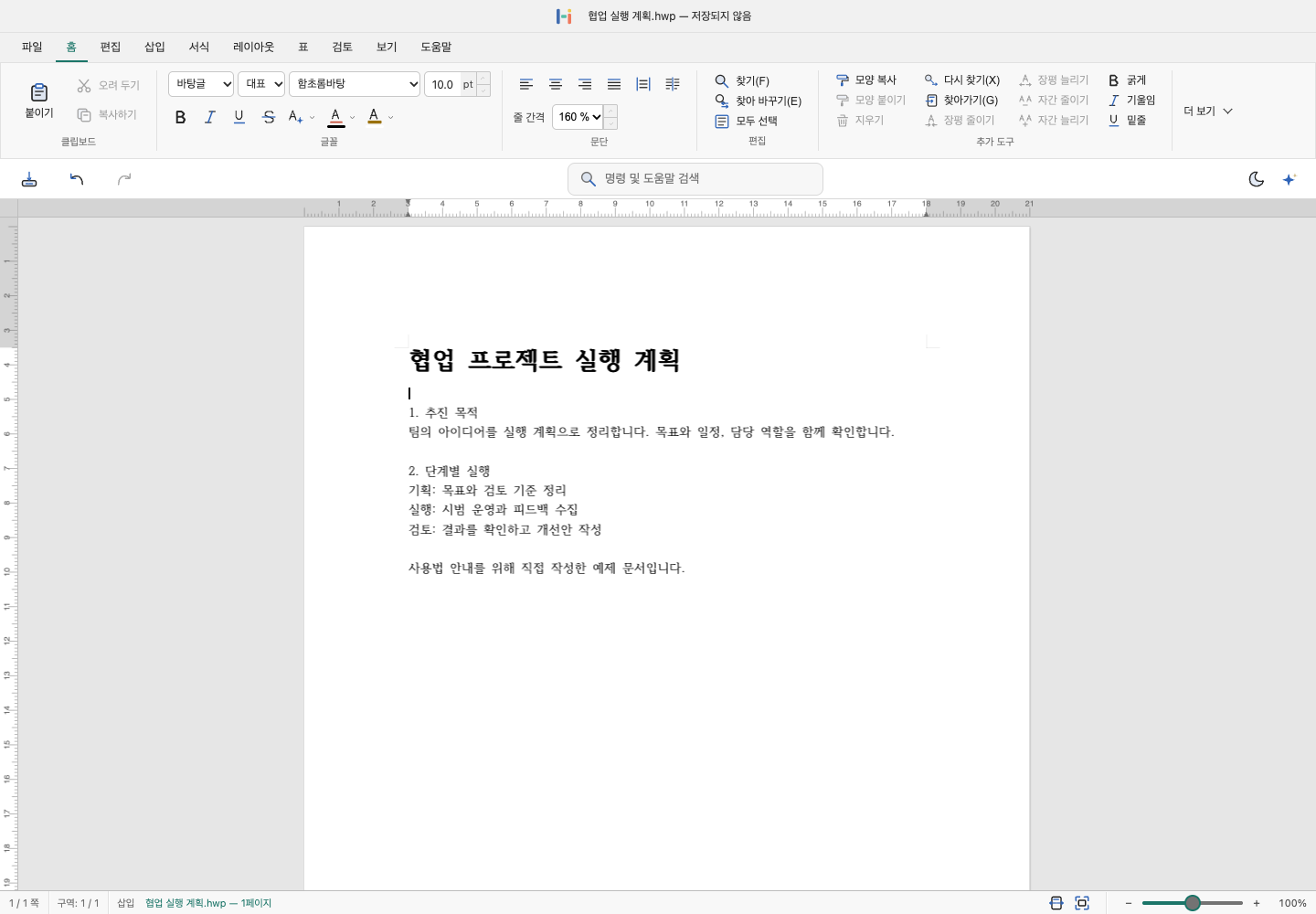
Use File for New, Open, Save, Print, and Export. Home controls characters and paragraphs; Insert adds tables, images, and equations; Layout controls paper, sections, and headers. The action bar offers save, undo, search, theme, and AI controls.
Characters, paragraphs, and styles
Use Home and Format for fonts, size, bold, color, alignment, indentation, and line spacing. Give equivalent headings the same style. Check paper width and font substitution before forcing text to fit with character-width or spacing changes.
Drafting and explanations with the AI assistant
Open the AI assistant and specify the document type and evidence to use. Check where headings, paragraphs, and tables belong and monitor progress. Confirm whether the response explains something or changes the document before continuing.
Rewrite selected content
Select text within one body region or one cell and request a summary, tone change, or translation. Split selections that span multiple cells or objects. Review names, figures, formatting, and the transition to surrounding paragraphs.
Save HWP, HWPX, DOCX, PDF, or to VORA
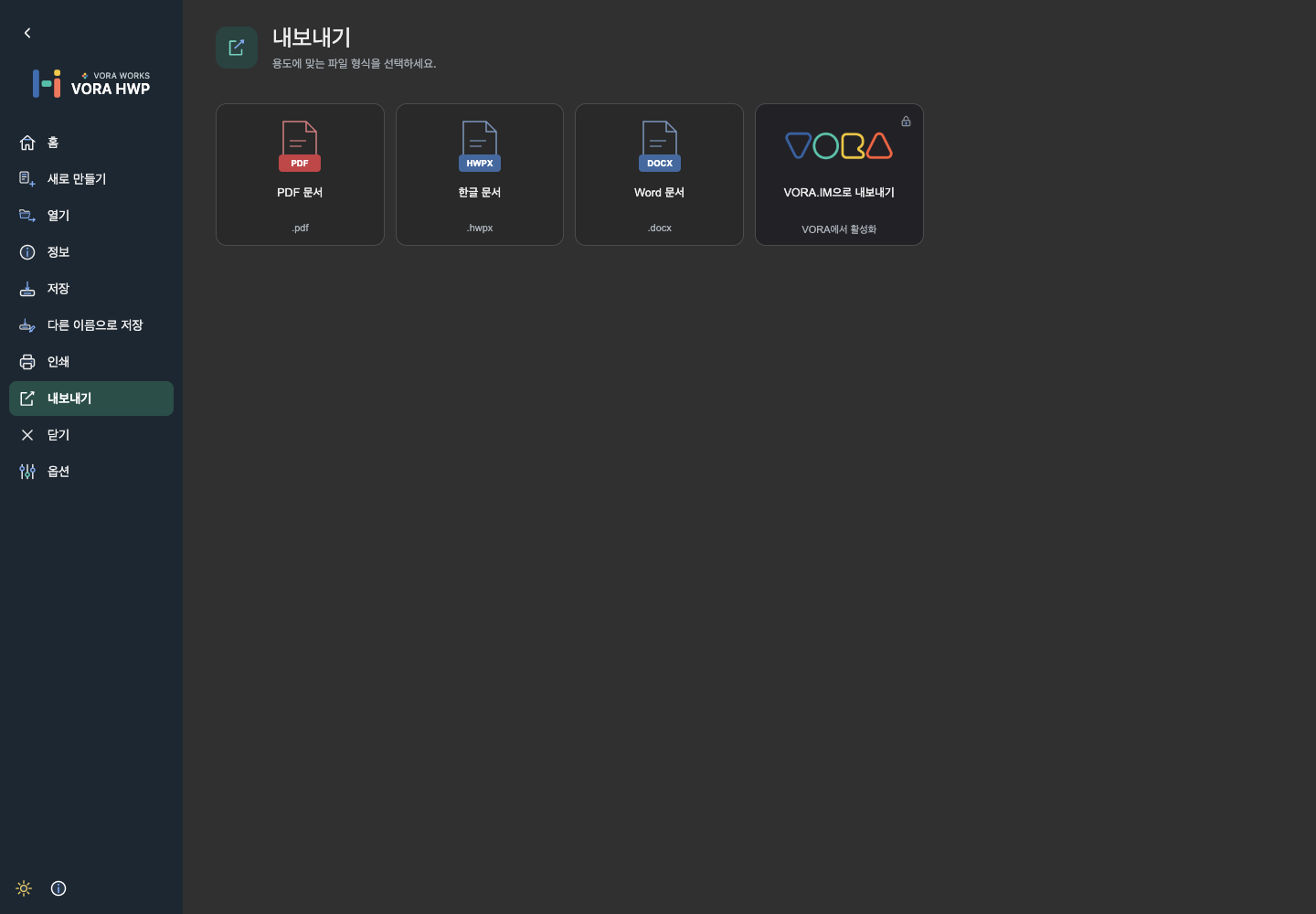
Keep a working copy with Save or Save As. Export offers HWPX, PDF, DOCX, and VORA saving. Check the extension, reopen converted files, and review tables, fonts, and page layout.
Acceptance, completion, and AI Creations
| Status | What to check |
|---|---|
| Accepted | The task has been registered; generation and saving are not yet complete. |
| Processing | Wait for completion. Repeated submissions may create separate jobs. |
| Completed | Open the HWPX file saved on the AI Creations page and check its name, contents, and download. |
| Failed or cancelled | Read the error. An acceptance card alone is not proof that a file was saved. |
Review and fill form fields
Open a copy of the form and request the field content in the AI assistant. Filling an existing form is different from inserting a new body section.
- Check the original name, tables, and fields.
- Match each proposed value to its destination.
- Select the required fields and shorten text to fit.
- After applying, inspect fields, cells, and pagination, then save a copy.
Writing a useful request
State what to create, who it is for, and its format and length. Identify values, tables, or terminology to keep, the scope to change, and how to handle missing evidence.
Upload reusable references to the AI Knowledge Base and select the materials for this request.
Review after automatic generation
- Compare figures, names, dates, and sources with the originals.
- Check clipping, overlap, table wrapping, formulas, and fonts.
- Refine the result in the editor and save a final copy.